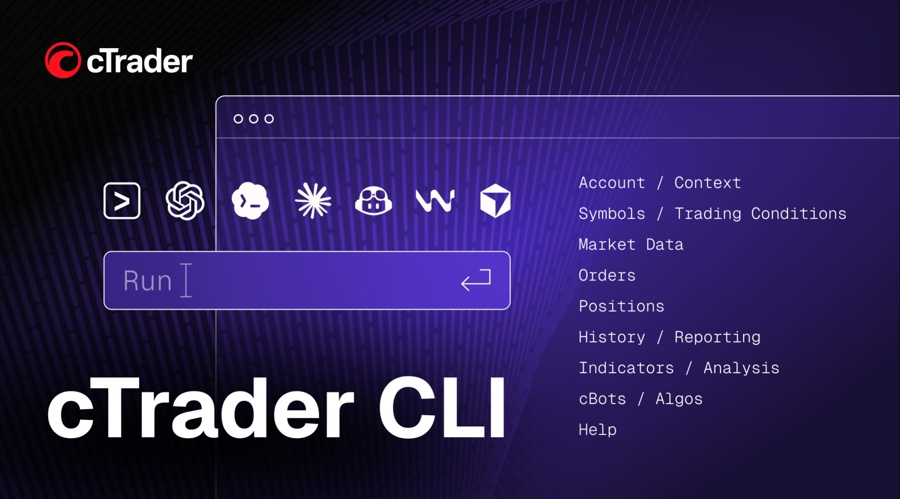
Spotware Launches cTrader CLI for AI-Controlled Trading and cBots

Thursday, 13/08/2026 | 09:46 GMT by Damian Chmiel
  • The local tool runs account queries, backtests and bots without keeping the desktop interface open.
  • It extends May's MCP launch as MetaTrader 5 and ThinkMarkets build their own routes for AI agents.
ctrader

Spotware launched cTrader CLI today (Thursday). The command-line tool connects traders to accounts, cBots, backtests and market data. Spotware said third-party AI applications can also turn natural-language instructions into commands.

Algo traders can move recurring jobs off cTrader's graphical interface and onto locally controlled Windows or Linux infrastructure. One setup can handle several accounts. Bot instances can run in the background.

How cTrader CLI Works

cTrader's technical documentation lists three launch routes: cTrader Windows, a Windows terminal and a Linux Docker image. A bot started as an external process keeps running after the main desktop application closes. Current support begins with cTrader 4.8 and modern .NET 6 algorithms.

The command set covers account and symbol lookup, market data, trading history, orders and positions. Users can start or stop cBots and set their parameters. The same algorithm can run on different accounts, symbols or time periods.

“Freedom to use AI to run and automate their trading without a graphical interface,” Spotware Head of Product Development Sergey Borisov said.

Backtests can use historical prices from the cTrader server, local files or custom datasets. Reports are available in HTML or JSON. An AI tool or another program can then review the structured output.

The release says users can test parameter combinations and compare optimization results before deploying a strategy. They can also retrieve trading history and exposure, set price alerts and monitor running instances without returning to cTrader's main window.

Supported AI applications include Claude Code, Codex, Cursor, Windsurf and Gemini CLI, according to Spotware. The AI layer is optional. Users and their own programs can call the commands directly.

Trading Platforms Test Different AI Control Models

The CLI follows cTrader AI Agent Connect, which Spotware released in May. That package uses two Model Context Protocol (MCP) servers: a remote server for account and market operations and a local server with access to the Windows workspace.

MetaQuotes released MetaTrader 5 Build 6030 in beta on July 16. Its AI Assistant can analyze markets, work with account data, generate and debug Expert Advisors and support strategy tests through MCP connections.

ThinkMarkets launched ChelseaAI on June 1 for ThinkTrader. ThinkMarkets said the MCP server can execute orders but cannot access deposits or withdrawals. Clients can set scopes for permitted order types.

cTrader CLI puts the operating process on the trader's machine or server. Its Docker image also gives users a route to Linux virtual private servers and cloud infrastructure, while the May MCP products remain the direct connection layer for compatible AI clients.

Local Control Shifts Configuration to the Trader

The documentation shows that cTrader CLI can authenticate through a cTID password file and accept account details through command arguments or environment variables. Docker users must also mount the bot and credential files into the container.

Local operation leaves the user responsible for the machine, network connection and stored credentials. Spotware's announcement does not describe a hosted failover service for CLI jobs.

A full-access option allows an algorithm to run without access-right limitations. Spotware's release does not detail the default permissions or confirmation steps that apply when an AI application submits a live trading instruction.

Natural-language control changes how an instruction is created. It does not show that a strategy is suitable for live trading. Backtest results still depend on the data, period, parameters, costs and code selected by the user.

Trading firms gain another way to serve clients who run several bots or manage accounts remotely. Spotware said those users can leave the main cTrader application available for charts and development while the CLI handles background tasks.

Spotware launched cTrader in 2010. It says more than 300 brokers and prop firms now offer the software, although the figure is self-reported.

Spotware launched cTrader CLI today (Thursday). The command-line tool connects traders to accounts, cBots, backtests and market data. Spotware said third-party AI applications can also turn natural-language instructions into commands.

Algo traders can move recurring jobs off cTrader's graphical interface and onto locally controlled Windows or Linux infrastructure. One setup can handle several accounts. Bot instances can run in the background.

How cTrader CLI Works

cTrader's technical documentation lists three launch routes: cTrader Windows, a Windows terminal and a Linux Docker image. A bot started as an external process keeps running after the main desktop application closes. Current support begins with cTrader 4.8 and modern .NET 6 algorithms.

The command set covers account and symbol lookup, market data, trading history, orders and positions. Users can start or stop cBots and set their parameters. The same algorithm can run on different accounts, symbols or time periods.

“Freedom to use AI to run and automate their trading without a graphical interface,” Spotware Head of Product Development Sergey Borisov said.

Backtests can use historical prices from the cTrader server, local files or custom datasets. Reports are available in HTML or JSON. An AI tool or another program can then review the structured output.

The release says users can test parameter combinations and compare optimization results before deploying a strategy. They can also retrieve trading history and exposure, set price alerts and monitor running instances without returning to cTrader's main window.

Supported AI applications include Claude Code, Codex, Cursor, Windsurf and Gemini CLI, according to Spotware. The AI layer is optional. Users and their own programs can call the commands directly.

Trading Platforms Test Different AI Control Models

The CLI follows cTrader AI Agent Connect, which Spotware released in May. That package uses two Model Context Protocol (MCP) servers: a remote server for account and market operations and a local server with access to the Windows workspace.

MetaQuotes released MetaTrader 5 Build 6030 in beta on July 16. Its AI Assistant can analyze markets, work with account data, generate and debug Expert Advisors and support strategy tests through MCP connections.

ThinkMarkets launched ChelseaAI on June 1 for ThinkTrader. ThinkMarkets said the MCP server can execute orders but cannot access deposits or withdrawals. Clients can set scopes for permitted order types.

cTrader CLI puts the operating process on the trader's machine or server. Its Docker image also gives users a route to Linux virtual private servers and cloud infrastructure, while the May MCP products remain the direct connection layer for compatible AI clients.

Local Control Shifts Configuration to the Trader

The documentation shows that cTrader CLI can authenticate through a cTID password file and accept account details through command arguments or environment variables. Docker users must also mount the bot and credential files into the container.

Local operation leaves the user responsible for the machine, network connection and stored credentials. Spotware's announcement does not describe a hosted failover service for CLI jobs.

A full-access option allows an algorithm to run without access-right limitations. Spotware's release does not detail the default permissions or confirmation steps that apply when an AI application submits a live trading instruction.

Natural-language control changes how an instruction is created. It does not show that a strategy is suitable for live trading. Backtest results still depend on the data, period, parameters, costs and code selected by the user.

Trading firms gain another way to serve clients who run several bots or manage accounts remotely. Spotware said those users can leave the main cTrader application available for charts and development while the CLI handles background tasks.

Spotware launched cTrader in 2010. It says more than 300 brokers and prop firms now offer the software, although the figure is self-reported.

About the Author: Damian Chmiel
Damian Chmiel
  • 3848 Articles
  • 116 Followers
About the Author: Damian Chmiel
Damian Chmiel is a Senior Analyst & Editor at Finance Magnates with more than 15 years of experience in the CFD and online trading industry. Active as both a trader and journalist since 2010, he focuses on broker coverage, fintech innovation, and regulatory developments across Europe, the Middle East, and Asia. His work includes interviews with C-level leaders at major brokerages and fintech platforms, as well as co-authoring Finance Magnates’ quarterly industry benchmarking reports. Damian’s reporting is data-driven, market-aware, and grounded in direct industry engagement. His analysis and commentary have also been cited by external media outlets, including Investing.com, Binance, The Asset, Stockhead, and Dispatch. Education: MA in Finance and Accounting, Cracow University of Economics
  • 3848 Articles
  • 116 Followers

More from the Author

Retail FX

!"#$%&'()*+,-./0123456789:;<=>?@ABCDEFGHIJKLMNOPQRSTUVWXYZ[\]^_`abcdefghijklmnopqrstuvwxyz{|} !"#$%&'()*+,-./0123456789:;<=>?@ABCDEFGHIJKLMNOPQRSTUVWXYZ[\]^_`abcdefghijklmnopqrstuvwxyz{|}